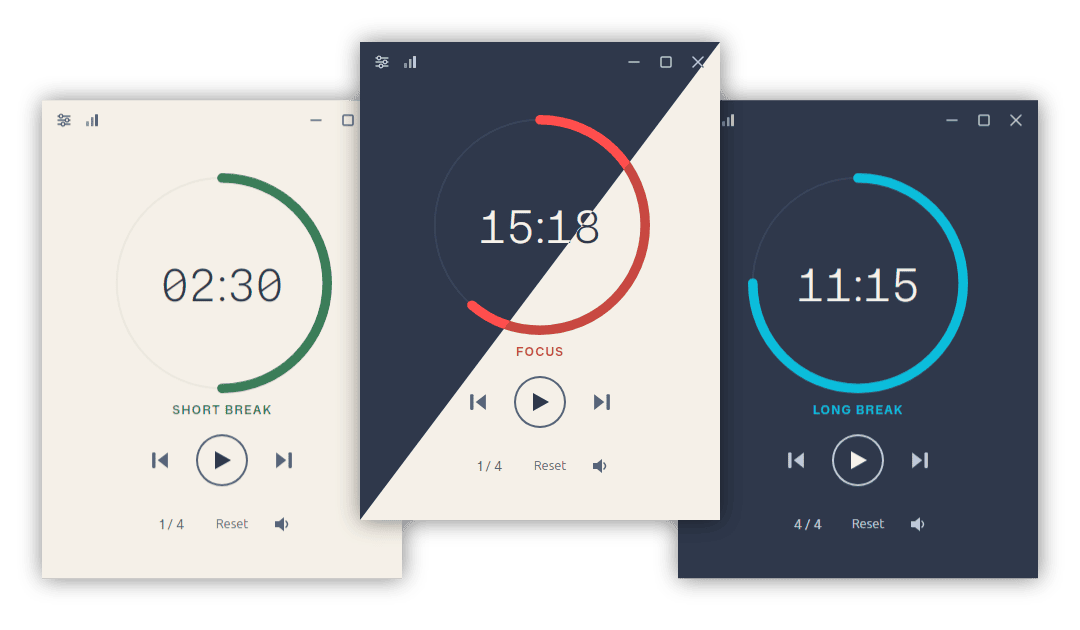
Eight years after the first commit, Pomotroid 1.0 is out.
It’s a complete rewrite. The Electron + Vue stack that carried the app from v0.1 through v0.13 has been replaced with a native Tauri 2 application backed by Rust and Svelte 5. No Chromium. No Node runtime bundled into your menu bar. The installer on Windows is under 5 MB.
Why rewrite it
The original app worked, but it carried Electron’s weight everywhere — a full browser engine sitting behind a 300×400 timer window. Tauri fixes the fundamental mismatch: the UI is still web tech (Svelte, CSS), but the platform layer is native Rust, and the OS webview handles rendering. The result is a dramatically smaller binary, faster startup, and lower memory use at idle.
The rewrite also gave a chance to fix things that were architecturally awkward in the old codebase. The biggest one: the timer itself.
A timer that doesn’t drift
The v0.x timer ran on a web worker using setInterval. Web worker timers are not guaranteed to fire on schedule — the browser can throttle them, and small delays compound over a long session. A 25-minute focus round could finish noticeably late.
The new timer runs on a dedicated Rust thread using std::time::Instant with a fixed tick schedule. Drift doesn’t accumulate. Sleep and wake are handled correctly — the timer pauses on OS sleep and resumes from the right position, so a laptop lid closing mid-session no longer causes a missed round.
Statistics
1.0 ships with a full statistics window: today’s focus time and hourly breakdown, a weekly bar chart with streak tracking, and a 52-week heatmap for the long view. All charts are pure SVG — no charting library — and they pull their colours from whichever theme is active. Session data is written to SQLite as rounds complete.
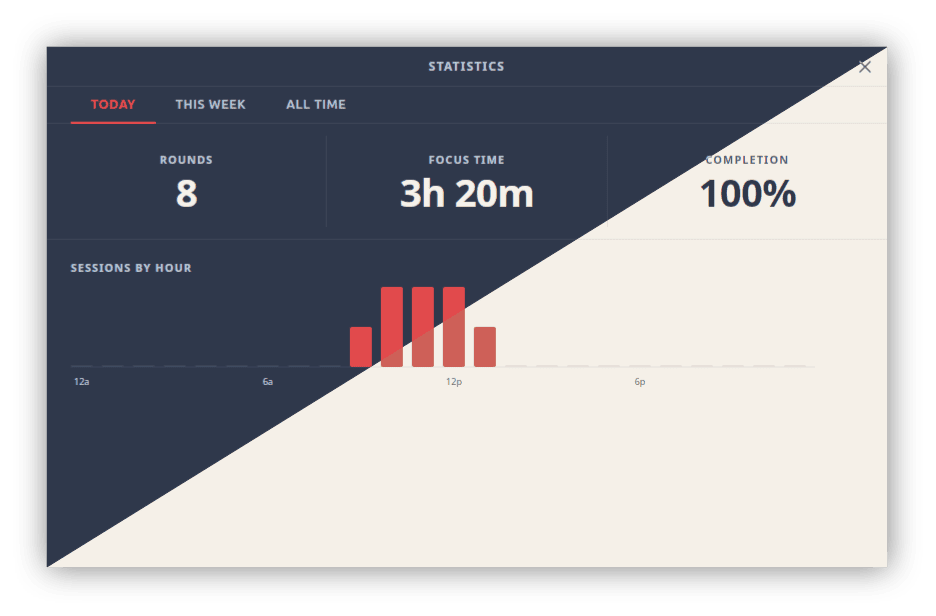
Today — rounds completed, total focus time, and an hourly breakdown chart.
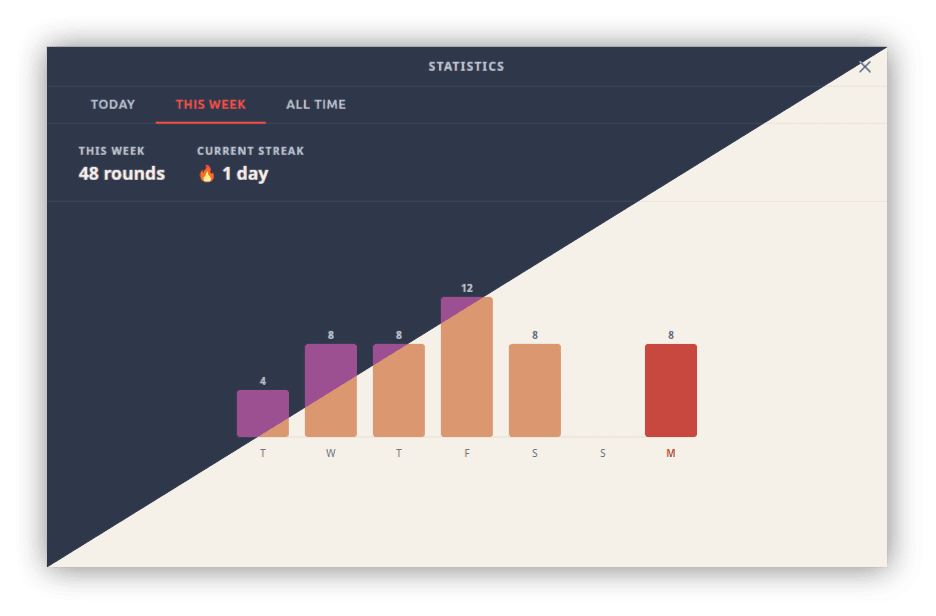
This Week — daily round counts for the past seven days and your current streak.
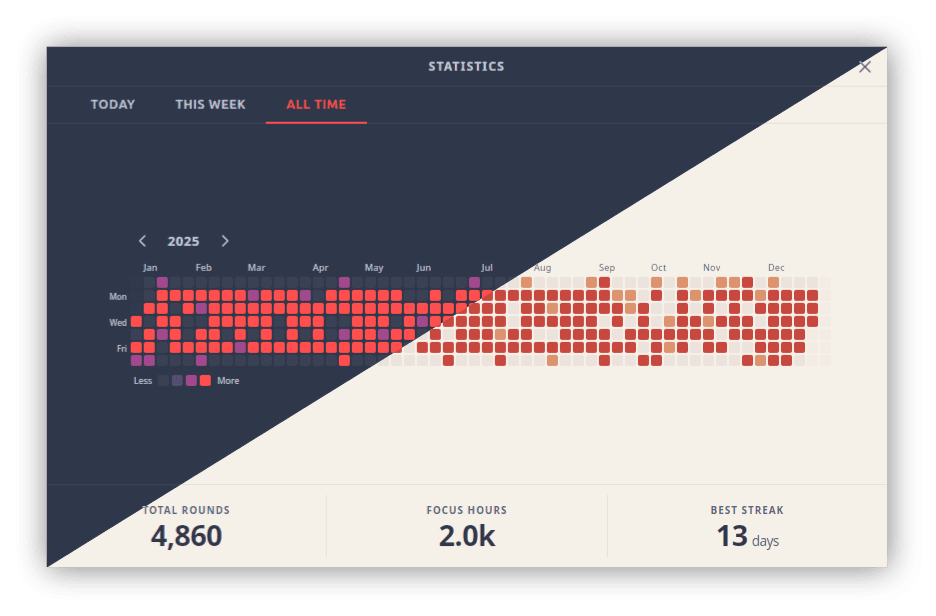
All Time — a 52-week heatmap alongside lifetime round and focus hour totals.
Themes
37 bundled themes, including Dracula, Nord, Tokyo Night, Gruvbox, Catppuccin (four variants), Rose Piné (three variants), Solarized, and more. Auto light/dark mode follows your OS preference, with separate theme pickers for each. Custom themes still work the same way — drop a JSON file into the themes folder and it appears instantly.
Global shortcuts, WebSocket, and the rest
A quick tour of the other headliners:
- Global shortcuts — toggle, reset, skip, and restart round. Fully rebindable. Work when the window is hidden to the tray.
- Dynamic tray icon — a progress arc rendered in Rust with
tiny-skia, coloured by round type, with an optional countdown mode. - WebSocket server — opt-in local server for stream overlays and external integrations. Broadcasts the full timer lifecycle.
- 7 languages — English, Spanish, French, German, Japanese, Simplified Chinese, and Portuguese. Auto-detected from your OS locale.
- Configurable audio — per-round alert cues, custom audio files, tick sounds, and a volume slider. Playback runs on a dedicated thread and works when the window is hidden.
One thing to know if you’re upgrading
Settings no longer live in user-preferences.json. They’ve moved to SQLite, and preferences will reset to defaults on first launch after upgrading from v0.x. Custom theme JSON files from older versions are fully compatible — nothing to change there.
Download Pomotroid v1.0.0 for Windows, macOS, and Linux. Full changelog on GitHub.